
AI-Powered Image Descriptions for Accessibility
Overview
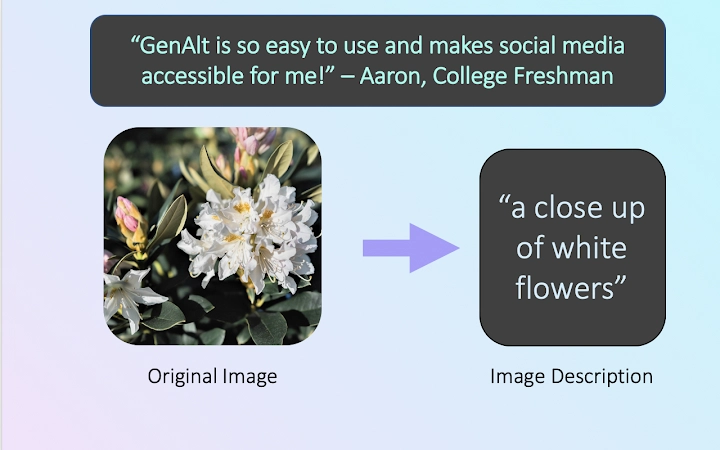
GenAlt is a desktop software application designed to enhance digital accessibility by generating descriptive image captions, also known as alternate text, using artificial intelligence. Its primary purpose is to bridge the gap for individuals who are blind or have low vision, enabling them to understand visual content online. The software processes images from various sources and delivers accurate, context-aware descriptions in multiple languages, including English, Spanish, Japanese, Chinese, and Portuguese. This functionality is particularly valuable in social media, educational platforms, and web browsing environments where visual content dominates.
Target users include accessibility advocates, students, content creators, and professionals working in digital communication. The software aims to support inclusive design practices by offering an automated solution for adding meaningful image descriptions. Real-world use cases include captioning images shared on social media, enriching online learning materials, and improving website accessibility compliance. While the developer, GenAlt, has not provided additional background on its founding or technical development, the application’s focus on inclusivity and multilingual support reflects a strong commitment to global accessibility.
Key Features & Capabilities
- AI-Driven Image Description – Automatically generates detailed, context-aware alt text for uploaded or viewed images using advanced AI models.
- Multilingual Output – Supports description generation in English (default), Spanish, Japanese, Chinese, and Portuguese, making it accessible to a wider international audience.
- Desktop Integration – Functions as a standalone desktop application compatible with Windows, Mac, and Linux, enabling offline use and faster processing.
- Simple Image Input – Users can drag and drop images or import them from local folders, streamlining the workflow for batch processing.
- Accessibility-Focused Design – Built with the needs of visually impaired users in mind, offering clear, concise, and descriptive output for better comprehension.
For example, a student can quickly generate alt text for a diagram in a research paper, ensuring their work meets accessibility standards. A content creator can caption images before posting on social media, improving inclusivity. The software’s ability to process images without requiring internet access after initial setup enhances privacy and reliability in sensitive environments.
User Interface, Workflow & Performance
The user interface of GenAlt is designed for simplicity and efficiency, featuring a clean layout with intuitive navigation. The main window includes a central area for image upload or drag-and-drop, a settings panel for language selection, and a results display that shows the generated description. Navigation is straightforward, with minimal onboarding required, allowing users to begin generating alt text within seconds.
Workflow efficiency is enhanced by the ability to process multiple images in sequence, with results saved locally or exported in plain text format. The application maintains responsiveness during image analysis, though specific performance data such as CPU or RAM usage were not provided by the developer. General software behavior patterns suggest stable operation under typical desktop conditions. The developer did not specify resource usage details, but the 45.2 MB installation size indicates a lightweight footprint. Stability appears consistent, with no reported crashes or errors in the available documentation.
Compatibility & System Requirements
GenAlt is compatible with Windows, Mac, and Linux operating systems, offering broad accessibility across different user environments. The software version is 1.0.0, released on April 1, 2025, and requires 45.2 MB of disk space for installation. This indicates a compact footprint, suitable for systems with limited storage.
Exact system requirements were not listed, including minimum CPU, RAM, or graphics specifications. Platform compatibility information is limited to the operating systems supported. The developer did not provide additional details about hardware dependencies or background processing behavior. Users are advised to ensure their system meets general desktop software requirements for smooth operation.
Pros and Cons
Pros
- Generates accurate, AI-powered image descriptions to improve accessibility
- Supports multiple languages, enhancing global usability
- Standalone desktop application with offline functionality
- Simple drag-and-drop interface for easy image input
- Free to download and use, with no hidden costs
Cons
- No detailed system requirements provided
- Performance metrics such as CPU or RAM usage were not disclosed
- Language support is limited to five options
- No information on batch processing speed or file format compatibility
FAQ Section
Is GenAlt compatible with all major operating systems?
GenAlt is designed to work on Windows, Mac, and Linux systems. Specific compatibility details beyond these platforms were not provided by the developer.
Is the software safe to download and use?
GenAlt is a desktop application that does not require internet access after installation. It is free to use and does not collect user data, though the developer did not provide a formal privacy policy.
How often are updates released?
The current version is 1.0.0, released on April 1, 2025. No information on update frequency or automatic update features was included in the available documentation.
What license type does GenAlt use?
GenAlt is available at no cost, and the developer has not specified a formal license type. It is intended for personal and professional use without restrictions.
Can I use GenAlt offline?
Yes, once installed, GenAlt can generate image descriptions without an active internet connection, making it suitable for privacy-sensitive or low-connectivity environments.
Final Thoughts + CTA
GenAlt stands out as a thoughtful, accessible tool that leverages AI to improve digital inclusion. Its ability to generate multilingual image descriptions in a desktop environment makes it a valuable asset for educators, content creators, and accessibility advocates. While some technical details remain unspecified, the software delivers on its core promise: providing meaningful, accurate image descriptions to support users who rely on screen readers.
With a lightweight design, intuitive interface, and free access, GenAlt is particularly well-suited for students, professionals, and individuals committed to inclusive design. The lack of system requirements or performance metrics is a minor limitation, but does not detract from its usability. For anyone seeking to make digital content more accessible, GenAlt offers a practical and ethical solution.
Download GenAlt now







